Recent Posts

Screencasting for Lecture Capture

During this first couple of weeks of the new teaching term I’ve been experimenting with using screen capture software as a means of capturing my lectures. Using nothing more than the built-in microphone on my Macbook Pro and an educational license for Camtasia Studio, I’ve been able to capture several lectures live in the lecture room. When I plug my Mac into the LCD projector, the screen resolution changes to super VGA (1024 x 768 pixels). I literally set Camtasia Studio to use the built-in microphone and full screen capture and switch on record at the start of the lecture. At the end I stop the recording, save the Camtasia Project file and convert it to MPeg 4 (Apple Quicktime format). This takes about 30 minutes to an hour but it’s literally all the post-processing I do. Then I upload the result to the Learning Objects Podcast tool in the Blackboard course site and it’s there for my students to review. Next time the course is given, I’ll be able to provide the screencast before the lecture, allowing me to “flip” my teaching.

The quality is surprisingly good. The only thing missing is a transcript and a copy of what gets written on the blackboard!

Here’s a screencast I made today of a lecture that I gave on Web Applications. I chose to use this as an example because as well as an illustration of what’s possible, the subject of the lecture might be of interest to my readers.

http://content.screencast.com/users/cpjobling/folders/EG-259/media/be6581f9-412b-4b88-824d-e165d4548238/mp4h264player.swf

http://www.screencast.com/users/cpjobling/folders/EG-259/media/be6581f9-412b-4b88-824d-e165d4548238/embed

The best quality is obtained by hosting the result on Screencast.com or the Learning Objects podcast tool. I’ve also uploaded it to YouTube (which normally has a 15 minute limit) and Vimeo so you can get a comparison of the relative quality of those delivery options.

Camtasia Studio is the professional screen capture software of choice and is best for live lectures, or other longer or more complex production tasks. If you have shorter screencasts to prepare, Jing (from the same people who make Camtasia Studio) and Screenr work well and are free. To find out more, Jisc Digital Media provides some useful resources on Screencasting and have been running a series of surgeries, including one on Screencasting for Lecture Capture, recently.
Tweetdeck Chrome App

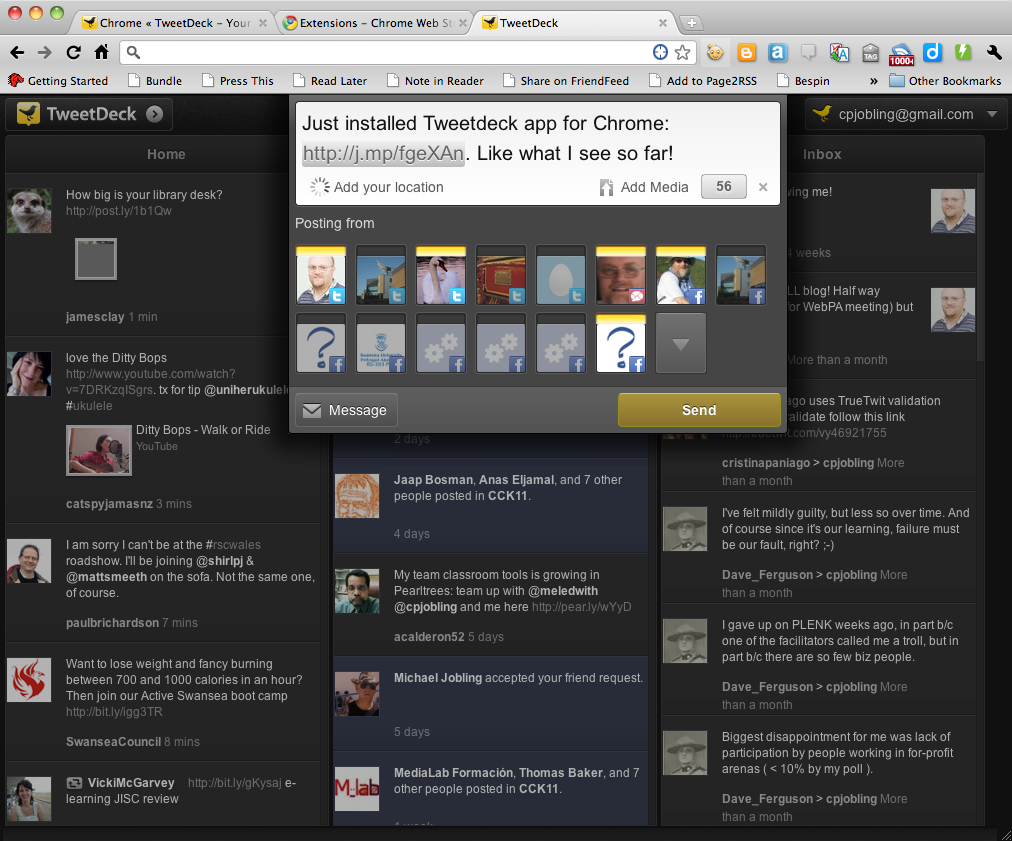
I’ve just installed the new TweetdDeck app for Google Chrome and like what I see so far. It takes the “that’s so obvious, why wasn’t it done before” idea of combining (TweetDeck calls this blending) all your feeds into three columns.

  • Home: for all your identities and the people they follow across all of your social networks;
  • Me: for mentions of your social identities and posts to your facebook newsfeeds; and
  • Inbox: for direct messages.

Like TweetDeck the desktop app, you can add your Twitter, Facebook and Google Buzz accounts and you can post to one or all of them.

I hope that the iPhone version will adopt this interface as it’s much easier to handle the blended columns than multiple columns on the small screen.

It’s only been 5 minutes, but first impressions: 5 thumbs up!

My First Pencast

Last year, I bought a Livescribe Echo Smart Pen with the hope that it would be useful in teaching. Well, here the result of my first attempt to use it “in anger”. I used the pen to write out a solution to one of the problems from my module EGLM03 Modern Control Systems while recording a narrative of what I was doing. The pen recorded the pen movement on the special notepaper and matched the movement to the audio. I then uploaded the recording to the Livescribe Community where it is made available as an embeddable flash movie.

Here’s the result:

EGLM03: Revision Question 1 brought to you by Livescribe http://www.livescribe.com/media/swf/embedPlayer.swf?path=http%3A//www.livescribe.com/cgi-bin/WebObjects/LDApp.woa/wa/flashXML%3Fxml%3D0000C0A8011500003A98E40C0000012DDFFE3D0A6E05E3CA&embedversion=1

Some nice features about this presentation: you can show, hide or partially hide the completed page; you can move through the presentation like it’s a video; and you can click on the page to go to the point in the drawing and the recording closest to the virtual pen’s position on the virtual page when that part of the image was drawn. With the real pen and the notebook,  you can also playback what was being said when you wrote a note and this would be great for students using the pen in lectures!

Diigo group and Pearltree for CCK11

A couple of small things:  I’ve created an open public Diigo group for Connectivism and Connected Knowledge 2011 which you can use to share useful bookmarks (http://groups.diigo.com/group/cck_2011) and a team Pearltree (http://pear.ly/JgB5). I won’t have much time to contribute to CCK11, but I’m hoping that my network will help me by curating the must see resources that I might not have time to do for myself.

As Karen Stephenson (cited in Siemens 2005) says:

“Experience has long been considered the best teacher of knowledge. Since we cannot experience everything, other people’s experiences, and hence other people, become the surrogate for knowledge. ‘I store my knowledge in my friends’ is an axiom for collecting knowledge through collecting people (undated).”

References

  1. Siemens, G. “Connectivism: A Learning Theory for the Digital Age“, International Journal of Instructional Technology and Distance Learning, January 2005.
  2. Stephenson K (Internal Communication, no. 36) What Knowledge Tears Apart, Networks Make Whole. Retrieved January 19, 2010 from http://www.netform.com/html/icf.pdf.

Digital Story Telling: Assignment 1

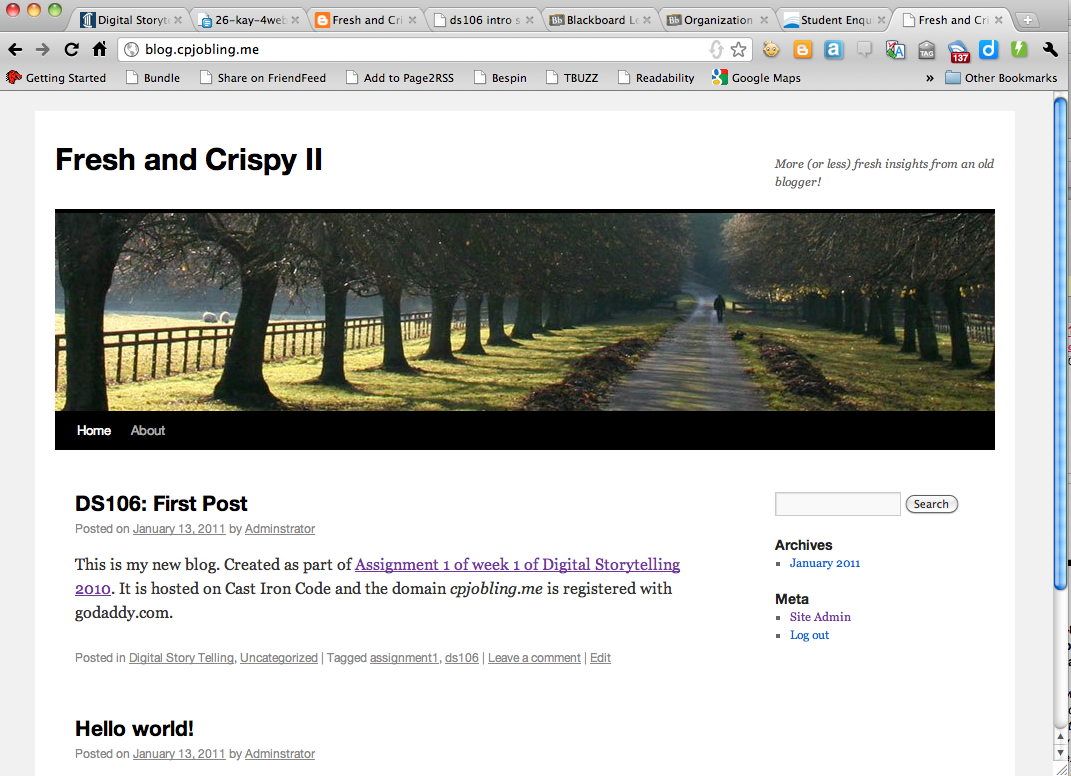
As part of the first week’s assignment we’ve been asked to set up our own webhost and domain. I’ve registered a new domain cpjobling.me with Godaddy.com and a signed up for the minimum hosting package from cast iron coding (CIC). I’m waiting for my confirmations to come through, then I’ll be setting up my name servers using the instructions provided here and WordPress blog using the instructions given here. Everything went fine and now I have a new Word Press blog which may one-day replace this one: blog.cpjobling.me.

I could (and have) done this manually on my own server, but the experience of using a hosting service and domain registration provides some good experience.

Ning Reunited

I’ve just joined the Evaluation of Learners’ Experiences of e-learning Special Interest Group (ELESIG) which is based around a Ning site (elesig.ning.com).  After Chris Hall and David Williams launched a Gwella group, I’ve noticed an increase in activity and the community that is developing looks to be quite exciting.

Was I wrong to reject Ning when they removed free access?

Should we have stuck with Ning for SALT and the Learning Lab?

For One Week Only: King James Bible

2011 apparently marks the 400th anniversary of the publication of the King James Bible. To mark the occasion, the BBC made a bit of a splash last week with a sequence of three forty-five minute documentaries fronted by James Naughtie on the commissioning, translation and legacy of the bible. These were followed by 7 hours of readings from the King James Bible made by the great and the good of the acting professions and introduced by well-known luminaries of literature and history.

For five days more, the whole lot is available from the special BBC King James Bible site and on the iPlayer. You can also download the readings (in twenty minute chunks) as a Podcast episodes which you can download to keep forever.

I’m not religious, but this is nonetheless a great listen for lovers of English and History and the podcasts are a great resource.

Apparently there’ll also be a series of documentaries on BBC 4 soon.