Recent Posts

My #BYOD4L Story (Part 1)

In advance of the fifth run of bring your own device for learning (#BYOD4L) and inspired by Sheila McNeil's post "#BYOD4L A story of personal and professional needs and wants", I thought that I too would reflect on my experience of my last three #BYOD4Ls.

Looking back at my Twitter Archive, I find that my first #BYOD4L contribution was a retweet on 14th July 2014:

https://twitter.com/cpjobling/status/488631919609790466

I'm struggling to find any blog posts from what was then the 2nd run of #BYOD4L (the first looks to have been in January 2014) so I probably only engaged via Twitter and Google+.

I note that I was sticking my nose in quite early!

https://twitter.com/cpjobling/status/489075712608194560

For curation, it looks like I was favouring these tools:

https://twitter.com/cpjobling/status/489498546606202881

Reviewing these today, Diigo, is being updated automatically, I'm an inactive curator on Anne Hole's BYOD4L Flipboard, I'm still using "favourites" on twitter but have stopped using Pocket, Pearltrees and Evernote!

I've had a dig around the Google+ site and Twitter but can't find anything that I actually created that first outing, but here are a couple of shares that are worth revisiting:

https://twitter.com/cpjobling/status/489313421935263744

https://twitter.com/cpjobling/status/489465884784984064

https://twitter.com/cpjobling/status/490104477866029056

https://twitter.com/hack_kay/status/489508555939008513

https://twitter.com/suebecks/status/489302632104620032

And some opinions that I expressed:

https://twitter.com/cpjobling/status/489310008124137472

https://twitter.com/cpjobling/status/489510313348194304

https://twitter.com/cpjobling/status/489133283393810433

As this post is already getting quite long and #LTHEChat 72 is about to start, I'll stop there, and continue this story in Part 2 tomorrow.

Comments:

Debbaff -

well done Chris ... you are always sooo productive ! Very pleased to be working with you again on this next week ... and will have to up my game and finish my story that I started last week but haven't finished yet ...! Thanks for the prompt ...


cpjobling -

Can I quote you when I finally put my SFHEA papers in?


Debbaff -

hahah of course ! :)


#BYOD4L: What will your story be? – Fresh and Crispy -

[…] Best of all, you can collect open badges for participation gather evidence of CPD that you can bring to your PGCertHE, HEA fellowship (initial application or evidence of good standing) and PDR. Mindful of this, for this run the organizers are encouraging us to share the stories of our experiences. So, to get your thinking, here’s one of mine. […]


Pre #bydo4l reflections on twitter, Trump and why I’m not leaving social media | howsheilaseesIT -

[…] I really enjoy #byod4l and the effective way it brings people together to share practice. As Chris Jobling has done it’s a great way to reflect on how your own use of technology has […]

#BYOD4L V - This Time it's Personal

Bring Your Own Device for Learning HashtagBack in January for its fifth run is the excellent Bring Your Own Device for Learning (#BYOD4L) online CPD-fest. Covering the 5Cs, Connecting, Communicating, Curating, Collaborating and Creating, this "course" aims to share great ideas and build communities. Concentrating on portable educational technology that you can use with yourself, your colleagues and your students, you're guaranteed to discover something that will enable you and them to be more effective. And at the same time you'll find yourself becoming part of a growing community of like-minded souls.
I've participated three times already and it's a really rewarding if hectic 5 days. This year's facilitators will be Sheila MacNeil (@sheilamcn, Alex Spiers (@alexgspiersand Neil Withnell (@neilwithnell and they introduced the course by web-cast during yesterday's final day of the ALT Winter Conference. You can find out more and a recording of the web-cast here: #BYOD4L V – this time it’s personal.

The community has been invited to contribute so expect to see me there.

Comments:

cpjobling -

Reblogged this on Learning and Teaching Excellence Centre.


My #BYOD4L Story (Part 1) – Fresh and Crispy -

[…] advance of the fifth run of bring your own device for learning (#BYOD4L) and inspired by Sheila McNeil’s post “#BYOD4L A story of personal and professional […]


#edventcityunilead

The Learning Enhancement and Development team at City University London (@CityUniLEaD]) is publishing a learning enhancement and development suggestion every day up until Christmas using the twitter hashtag #eventcityunilead.

https://twitter.com/CityUniLEaD/status/804032901348261888

Here they are, automatically updated as they are published:

[twitter-timeline id=806119016851013633]

Blackboard Learn v BB Student App (1)

One of my first findings while looking at the first app of 12 apps for Christmas is that the content viewer in the BB Student App doesn't display Blackboard Learn's own content very well:

https://twitter.com/cpjobling/status/804293517493338112

I wondered why so I did an experiment with Chrome for iPhone, and the content displays fine.

https://twitter.com/cpjobling/status/804296889629872128

In a follow up to my tweets, Sue Tucker (@sueinasp) pointed out that even the basic rich text handling is inferior.

https://twitter.com/sueinasp/status/804298022796394496

So I have to wonder why developers keep building inferior versions of their web apps as native apps in the mistaken belief that's the only kind their users will accept.

I also have to ask Blackboard why their Student App's content viewer isn't just an embedded Safari web browser? Or alternatively, why not disinvest in the mobile apps space and just make Blackboard Learn itself fully responsive?

Progressive Web Apps

If you want to learn more about this topic, Google has coined the term Progressive Web Apps (PWAs) to describe modern-web-browser-based web applications that are as good (if not better) than native web apps. It is also promoting the development of PWAs in its developer advocacy. See, for example, Learn How to Develop the Next Generation of Applications for the Web.

Developer Advocate Christian Heilmann (@codepo8), once of Mozilla and now of Microsoft, also promotes PWAs on his twitter feed and at conference engagements. For example see:

https://twitter.com/codepo8/status/804301835918053376

Some unexpected consequences

An unexpected consequence of moving from my self-hosted WordPress blog to WordPress.com was that my embedded Storifys stopped working, I lost some images, and several mysterious links to twitter javascript had appeared. A few minutes with the documentation confirmed what I guessed to be true that WordPress.com (for good security reasons) doesn't allow arbitrary embedded HTML and JavaScripts to be included in posts and pages delivered from the hosted service.

I did discover that there are good blogger-friendly shortcuts that allow bloggers to easily embed some types of media into their posts and pages. So it turned out that to change my embedded tweets, I simply had to replace the embed code from that I obtained from Twitter with the URL of the tweet on a line by itself. Like this for this one https://twitter.com/cpjobling/status/804282759120306176:

https://twitter.com/cpjobling/status/804282759120306176

There is no embed code though for Storify, so I had to replace the embedded stories from the last few months with plain old links.

I also had to find and re-upload a few images that had vanished.

I think this work is now complete, but do let me know if you find anything odd in the archives.

Another unexpected consequence of this need to update my pages is that some posts have been re-posted and announced again on my social media sites. I didn't intend to spam you honest!

12 Apps of Christmas (#RUL12AoC #12AoC)

img_1030 It's the first of December and in the Learning Technology world this means the launch of multiple open courses promising to introduce busy academics to 12 Apps of Christmas.

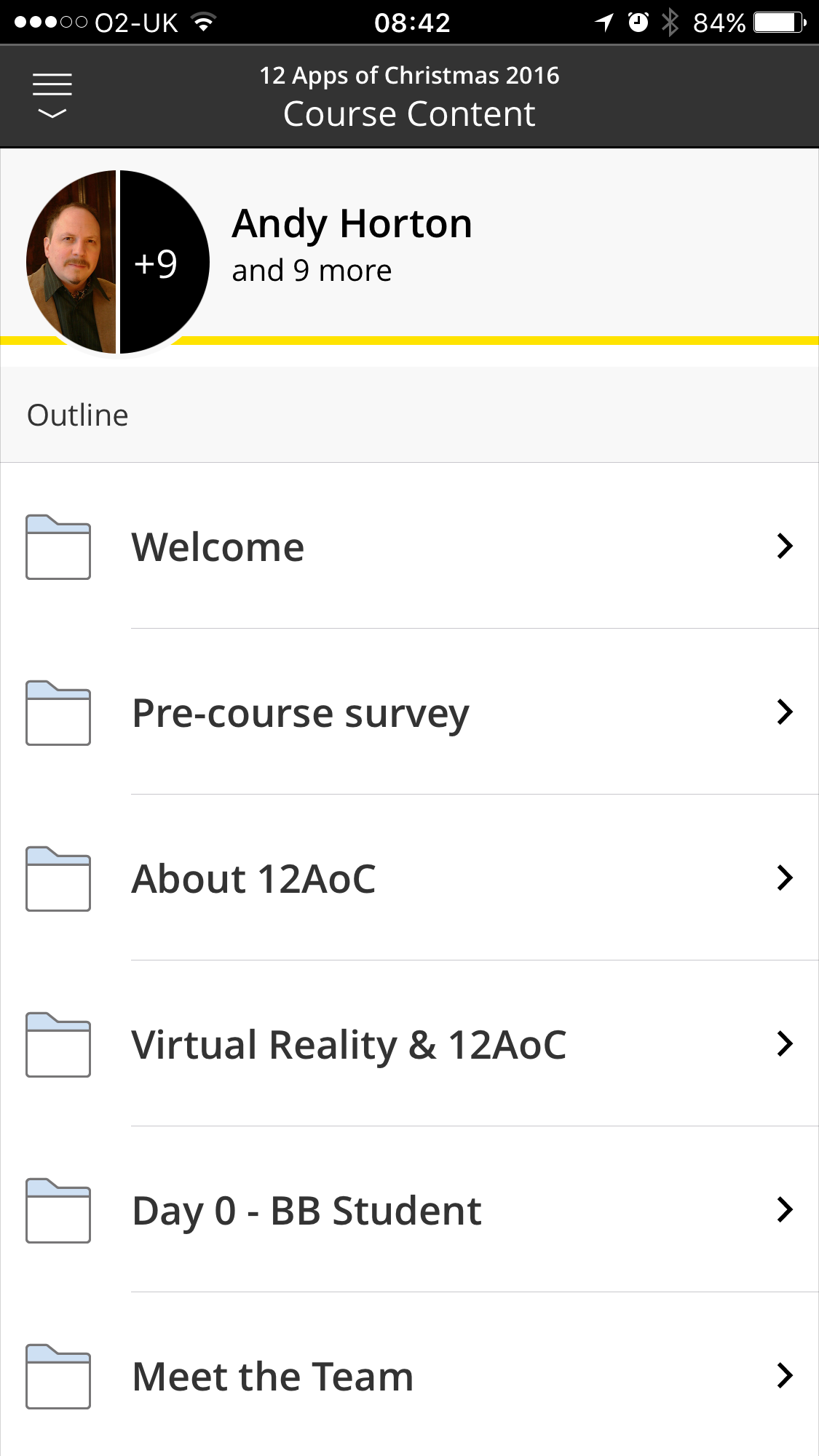
I'm enrolled on the Regent's University of London course which is being hosted on the Blackboard Open Courses platform.

I'm recommending 12 Apps of Christmas to my colleagues for two reasons. Firstly because it provides useful introductions to mobile apps that they can use with students. But perhaps as important, Blackboard Learn is Swansea University's VLE so taking part will give my colleagues an insight into what it's like to be a student on a Blackboard Learn course.

This year, the organizers are also encouraging us to use the Blackboard Student App. This makes the course more accessible - for example I hope to use the app to follow each day's recommendation while on my daily commute. But in addition, exploring the features and limitations of the app will give valuable insight into what you can and cannot do well when presenting your Blackboard course content on a small mobile device.

More to Explore

To keep up to date with other courses in this space, follow hashtag #12AoC. Here are some similar courses that are also worth a look.

Comments:

Blackboard Learn v BB Student App (1) – Fresh and Crispy -

[…] of my first findings while looking at the first app of 12 apps for Christmas is that the content viewer in the BB Student App doesn’t display Blackboard Learn’s own […]


We've moved (again)

This blog was self-hosted on digital ocean until today. 

Unfortunately, issues with the database was preventing the blog appearing for some of my readers and I don't have time at the moment to be a Sysadmin and trace the fault. Rebooting the server when I notice it's down is not a solution either. So, I've forked out the £30 a year to have a site with a custom domain hosted on Wordpress.com.  And here it is.

Excuse us while we move all our content and sharing options over.

Events Coming Up

There are some interesting events coming up over the next two months.

And of course there's #LTHEChat every Wednesday between 8 and 9 PM UK Local Time which teams up with #HEAChat on the last Wednesday of each month.