Introduction
In August 2024, I decided that I would attempt to move my old Fresh and Crispy WordPress blog to a new static website using the Hgo tool. This is a record of the process that I followed.
Installing Hugo
I installed Hugo by following the instructions given on the Quick Start.
This is the first page that I created using
hugo new content/posts/my-first-post.md
This is what the new blog site looks like after this first step
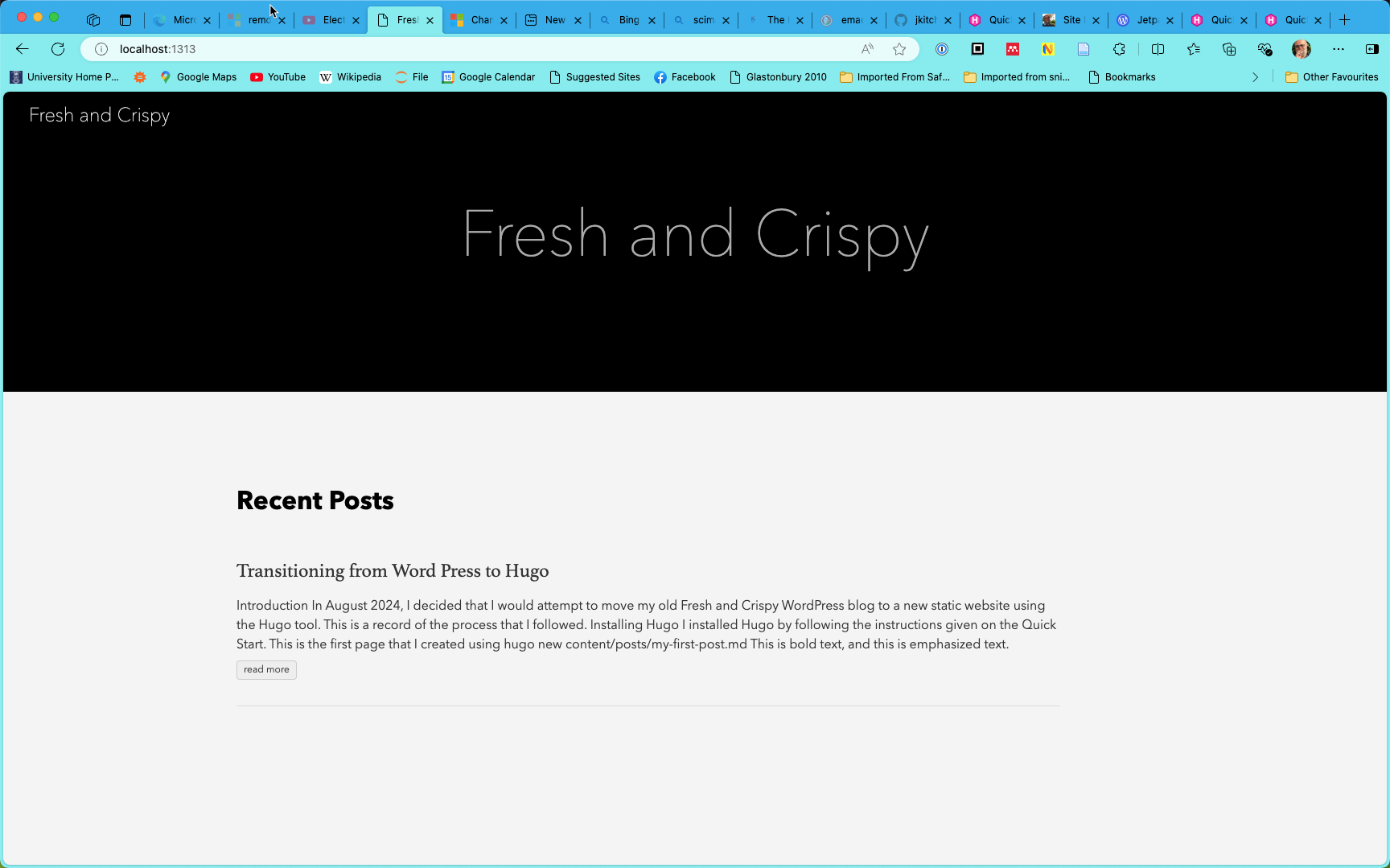
Export WordPress Site
I logged into my WordPress site for the first time since November 2020 and posted a quick post about my plans to transition to hugo.
I went to the dashboard and exported my old blog to an XML file.
Import to Hugo
There are a number of ways to migrate content from other sources to Hugo which you can follow up by reading Migrate to Hugo.
There seem to be two options available:
After a quick read of the documentation for both tools, it seemed that wp2hugo would be good for the first attempt.
Building wp2hugo
I decided to build wp2hugo from source:
$ git clone git@github.com:ashishb/wp2hugo.git
$ cd wp2hugo/src/wp2hugo
$ make build_prod
# `./bin/wp2hugo` will contain the binary and you can use it as `$ ./bin/wp2hugo --source wordpress-export.xml --download-media`
I ran the application as
~/bin/wp2hugo --source wpblog.xml --download-media
but there were errors downloading the media which caused the program to bail. So, I tried
~/bin/wp2hugo --source wpblog.xml
instead.
I got the text of my posts out of WP this way, but would need to manually go through my posts on WP to rescue what images I could.
Tomorrow, I will try blog2md to see if that's more error-tolerant.
Building blog2md
This is a node application. This is how I built it:
mkdir ~/code/src/github.com/palaniraja
cd $_
git clone https://github.com/palaniraja/blog2md.git
cd blog2md
npm install
npm audit fix --force # Needed to correct some warnings
Converting blog using blog2md
This seemed to work well! From the directory were I built blog2md, I ran:
node index.js w ~/Downloads/delete_me/freshandcrispy.WordPress.2024-08-08.xml out m paragraph-fix
and it seemed to work without issues!
$ ls out | wc
569     569   17725
Viewing the new blog
After conversion, all the markdown files appear in a flat directory. Each markdown file has meta data like:
---
title: 'Welcome to my new home'
date: Fri, 11 Feb 2011 21:21:23 +0000
draft: false
tags: ['Uncategorised']
---
These files just needed to be copied over to content/posts in the Hugo site and served using
hugo server -D
On visiting the served site, there was one YAML error that I quickly corrected.
There were a number of files, e.g. social media links, that need to be taken out of the posts content. And I'll need to go through WordPress to reclaim images, etc.
I will start to tidy up tomorrow!
In the meantime, I checked the new content into version control!!
Some tuning
I arranged the posts into folders by year. This was a largely manual process in which I first identified the posts using grep:
grep -l "2024 " *.md > mv2024
I then edited the file mv2024 to prepend mv to each line and add 2024. The result is a file
mkdir 2024
mv .... 2024
mv .... 2024
:
This can then be excuted using
sh mv2004
I am sure that this could be done more cleverly, but it was a one time operation.
Setting up .gitignore
The public folder is regenerated whenever the site is previewed and you get a lot of false versions if public is commited to version control. I edited .gitignore to ignore public.