
Posts from 2011

my bookmarks 11/25/2011

“Minds on Fire: Open Education, the Long Tail, and Learning 2.0 EDUCAUSE Review, vol. 43, no. 1 (January/February 2008): 16–32″ Cited in Mike Sharples’ keynote for Theme 2: Navigating Pathways of the 2011 JISC Innovating e-Learning Conference

tags:jiscel11 jisc educase web2.0 longtail education2.0 open education future toread

Posted from Diigo. The rest of my favorite links are here.

my bookmarks 11/24/2011

Abstract — Staff and students in the UK often dismiss MCQs (Multiple Choice Questions) as being associated with rote learning, but not understanding. However one of the biggest results ever published in education shows how mistaken this attitude is. The most important aspect of deep learning is probably being concerned with reasons rather than only with conclusions. If you want to test for knowledge of reasons then you can easily design MCQs to give the facts and ask about reasons. More interestingly, you can use MCQs that ask about facts to provoke learners to search for reasons. One method is to have students design MCQs (together with automatic feedback explaining why each response is right or wrong): the PeerWise software can organise this as an assignment in large classes. Another method is to use questions delivered by EVS (electronic voting systems) to catalyse peer discussion, even in huge classes. This talk will discuss some of the big educational results, and also psychological research that partially illuminates the mechanism. Supporting website for a SALT seminar presented by Steve Draper of Glasgow University at Swansea on 23rd November 2011.

tags:for:swansealearninglab mcq evs multiple choice questions electronic voting systems steve.draper glasgow education catalytic assessment deep learning

Posted from Diigo. The rest of my favorite links are here.

Assessing Assessment

As noted in Innovating e-Learning 2011 : JISC and Poacher turned gamekeeper I am attending the Innovating E-Learning Online Conference during the gaps in my full calendar. Today there was a quite large gap between the morning session (on Work-based Learning) and the final plenary session on Theme 1: Learning Landscapes and I was able to fill in a locally arrange Swansea Academy of Learning and Teaching (SALT) seminar lunchtime seminar on Multiple Choice: The smart choice or dumbing down?

During this session we learned about a local HEA funded project that is looking at the value of single selection versus elimination-style multiple choice questions in the life sciences and this was followed by an excellent presentation from Steve Draper of Glasgow University called Improving deep learning with Multiple Choice Questions (MCQs) and Electronic Voting Systems (EVS).

Following on, as it did quite by chance, from an excellent Activity-Week introduction to PeerWise (mentioned in Steve’s talk) and conference sessions on Assessment and Feedback and Students as Agents of Change (at which EVS came highly recommended by students in the Business School at Exeter), I feel justified in struggling with computer-based assessment and eager to try some of the new-to-me techniques mentioned by Steve and my colleagues from life sciences here at Swansea.

Having been excused from a staff-student committee by my Head of Teaching in order to attend this session, I hope that I will also be able to pass back the message that MCQs and EVSs are legitimate and powerful learning tools when used correctly.

my bookmarks 11/23/2011

“FASTECH is designed to use readily available technologies to support the systemic enhancement of assessment and feedback strategies and practices at programme, faculty and institutional levels. A key aim is to provide evidence of, and guidelines for, technological improvements and change processes that can be used to enhance the effectiveness and efficiency of assessment and feedback at these levels throughout the sector. By welcoming engagements, developing our work with, and inviting contributions from members of the HE community throughout the project, we aim to build a strong community of practice, focussed upon developing understanding of how to improve assessment and feedback practices and environments.”

tags:jiscel11 fastech project jisc assessment feedback technology
- TESTA

This seems to me to be one of the most significant presentations seen at this year’s JISC Innovating e-Learning (online) Conference. It;s particularly relevant as it aligns closely with our own agenda.

tags:jiscel11 testa assessment formative summative student experience institutional transformation for:swansealearninglab
- HTML5 Rocks – A resource for open web HTML5 developers

tags:html5 resources google
- HTML5 Rocks – HTML5 vs Native: The Mobile App Debate

tags:mobile html5 native google

Posted from Diigo. The rest of my favorite links are here.

Poacher turned gamekeeper

Teletoad

I think that this is my third JISC Enhancing e-Learning conference. During the first one I was definitely a lurker. By the second, I’d been involved in a MOOC (Plenk) and a couple of the streamed ALT-C events so I was more comfortable with the asynchronous forums and Elluminate and contributed more. (Though I haven’t had the nerve to press F2 yet.) In all cases, I was attending as an academic looking for ideas that I could use in my own practice: and there’s been a rich seam of good ideas to mine.

This year, I’m attending in a new capacity as chair of our e-Learning Committee (a body with no real power but a brief to explore Technology Enhanced and Distance Learning and advise the University Learning and Teaching Committee on matters of strategy). Not only do I have to try to fill the shoes of my formidable predecessor Dr David Gill, I suddenly find that all those HEA and JISC reports and briefings that I was dimly aware of before have suddenly become much more relevant and I have a need to become familiar with the literature and the e-learning community in short order.

Threatening clouds If I may mix my metaphors, with the dark clouds of uncertainty of the new funding regime looming, my institution, like most of the others in the UK I expect, is suddenly aware that student experience is part of the HE garden that has been been allowed go wild. The research garden is blooming nicely, but there is Japanese knot weed in the vegetable patch and if the carrots go rotten, we might starve.

So it is with a different sensibility that I have engaged so far in the Pre-Conference Activities (excellent as they have been) and I’m looking forward to the conference proper. I am also here knowing that I’m entering a new role where I am an amateur amongst a community of professionals. It’ll be an interesting ride.

As is often the case, the immortal bards from Liverpool express my sentiments precisely

Help me if you can, I’m feeling down
And I do appreciate you being round.
Help me, get my feet back on the ground,
Won’t you please, please help me?

— John Lennon and Paul McCartney, “Help!” © 1965
Blackboard Tips #1 - Adding an Assignment to a Course

This is the first of a planned short series of screencasts that I am creating to help my colleagues at Swansea and further afield do more with Blackboard.

One thing we ask staff to do is provide a receipt for coursework submissions. But if the classes are large, this can be difficult to do. Blackboard has an assignment tool that can be used by students to upload electronic documents. If provides a receipt; can enforce submission deadlines; and the submissions can be graded and feedback provided all from the same interface.

This video, which is best viewed at HD full screen, takes you through this process.

[youtube https://www.youtube.com/watch?v=2hwqNDdI-4w]This is what I go through on the video.

Setup

  • Change name of Practice Course so that it will stand out later
  • Add test student user so you can see what the student sees.

Add assignment to assignments page

Put text into the assignment field. I explain that your instructions need to be clear and suggest the following:

  • The submission instructions should including clear information about what the students should upload, the file naming convention you want them to use, and the file types you expect.
  • If you want them to enter any information along with the submission, you should specify that too.
  • If only one attempt is allowed, state that and specify clearly the submission deadline. A note about your arrangements for late submission is useful if it is allowed.
  • It’s a good idea to state when they can expect to receive a grade and feedback. On submission, Blackboard has been set to send them an email acknowledging submission. It’s worth telling them to ensure that their email inbox is not full.
  • It may also be useful to explain what they can expect to see when they submit, attempt to resubmit or visit the “My Grades” before the assessment is marked. I plan to make a video about this in the future and as more assignments are used, they’ll get used to the procedure.

I also explain the assignment settings (release date, submission date etc) and discuss some of the options and how I typically set them up.

Login as a student

Finally, using the demo student account that I set up in the setup, I show how a student will submit the assignment, what he/she sees and point out what Blackboard considers a receipt and the various ways that it can be accessed.

Things I'm Doing this Week

  1. Learning about Moodle with the help of a couple of books and a lynda.com training course (which is really rather good!)
  2. Watching the recordings of Moodle Moot UK 2011 on YouTube (tag mootuk11)
  3. Signing up for the 2011 JISC Innovating e-Learning online 2011 conference
  4. Thinking about Non-Barking Dogs
  5. Re-evaluating Ning (Elesig) and Cloudworks

And looking forward to migrating some of my Blackboard courses to Moodle.

I have also just downloaded an e-copy of Rethinking Learning for a Digital Age and will be reading it over coffee.

Dennis Ritchie

With the hype following the demise of Steve Jobs, this news item slipped under the radar, and I only picked up the news that Dennis Ritchie has died aged 70, when I listened to the Tech Weekly Podcast of 19th October this morning. Here’s the opening of the Guardian Obit:

“The American computer scientist Dennis Ritchie, who has died aged 70 after suffering from cancer and heart disease, was one of the co-inventors of the Unix operating system and the C programming language. Unix and C provided the infrastructure software and tools that created much of today’s computing environment – from the internet to smartphones – and so have played a central part in shaping the modern world.”

Read more, Denis Ritchie Obituary, The Guardian Technology, 13th October 2011.

It’s hard to quantify just how big an influence Dennis Ritchie and his colleague Ken Thompson, who together invented the C-programming language in parallel with Unix, have had on the technological world we live in. Safe to say, it’s immense and it’s certainly bigger than anything Steve Jobs, who died a week earlier than Ritchie, has left behind. C (and Unix) are not sexy technologies, but they power the Internet and the Web and the influence of the C-programming language has influenced countless modern computing programming languages. And C itself is still alive a kicking and living on a version of Unix that you are carrying in your pocket! See John Naughton’s review of Dennis Ritchie’s legacy Denis Ritchie: The Other Man inside your iPhone in the Observer of 16th October.

Reaching Enlightenment with Ruby Koans

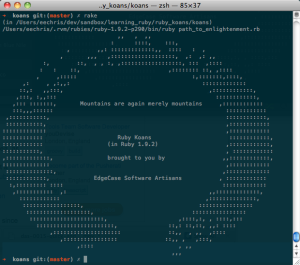
Reached enlightenment in Ruby Koans.

Today I reached enlightenment via the Ruby koans.

Today I completed the “path to ruby enlightenment” with Ruby Koans. Ruby Koans is a test-driven tutorial produced by Edgecase.com that explores some of the basics as well as the darker corners of the Ruby Programming language. It took the best part of 3 days to complete, and was quite challenging in parts. But I’m glad I did it. Thanks to Charles Max Wood’s Teach Me To Code screencast Ruby Koans for the inspiration.

Ruby Koans should preferably be completed on your own computer with an installation of Ruby (mac users have this already installed, windows and linux users have more preparation to go through), a terminal window and a text editor. If you prefer a web version (e.g. on your iPad) there’s an online version.

What is the real reason for doing this? Well I’m working on a web app for undergraduate project allocation and I’m using Ruby for it.